 TorrSeeker









Your career doesn't fit on two pages. It doesn't have to.
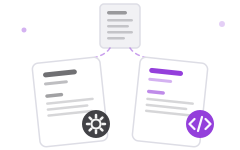
Write everything once, in a root resume with no page limit. Every resume you send is cut from it: one for each field you work in, a copy for each company, a translation when the job is in another language.
One resume can't sell two careers.
Say you've worked as a software engineer and as a mechanical engineer. A resume with both on it is too long for either job, so you keep two files. Then one company wants a certain project at the top, and there's a third. Apply in German and English, and every one of them doubles.
Six months later you earn a certificate. Now it belongs in six files, and the one you send is the one you forgot to update.
TorrSeeker started with exactly this pile of files. So it keeps one source for your whole career, and every version you send is made from it.
Write it all down once. Ignore the page limit.
Your root resume is the long version. Every job, project and certificate you might want again someday goes in, even if it runs to four pages. Nobody gets sent this one.
Already have a resume? Import it as a PDF, DOC or DOCX and it lands in the editor, so you start from what you've written instead of a blank page.
A resume for each field. A copy for each company.
From the root, make a specialized resume for each kind of role, say software and mechanical engineering, and trim it down by hand. It starts as a copy of the root, so nothing is lost.
Applying somewhere? Branch a company-specific copy and move up what that company cares about most. Or let the resume agent do it: it picks the specialized resume whose generation hint fits the job and makes the copy for you.
How the agent tailors a copyApply in German and English without rewriting anything.
This is where TorrSeeker began: one career, applied for in two languages, and every change made twice by hand. Translate turns any resume into another language for you.
Translate the root and you get a new root in that language. After that, your specialized resumes can follow it, so each language keeps its own set of versions.
Add the certificate once. Choose where it goes.
Put the new certificate in the root. Every specialized resume made from it now shows how many updates it's missing, so none of them quietly goes out of date.
Open the badge and go through the changes one by one. A plain update from the root is picked for you. Where you changed the same entry yourself, your version stays unless you pick the other one.
Nothing copies itself. Updates move one level at a time: the specialized resume takes them first, and only then do its company-specific copies see them.
Write your career once.
Send the version that fits.
Import the resume you already have and make it your root.
Start your root resume